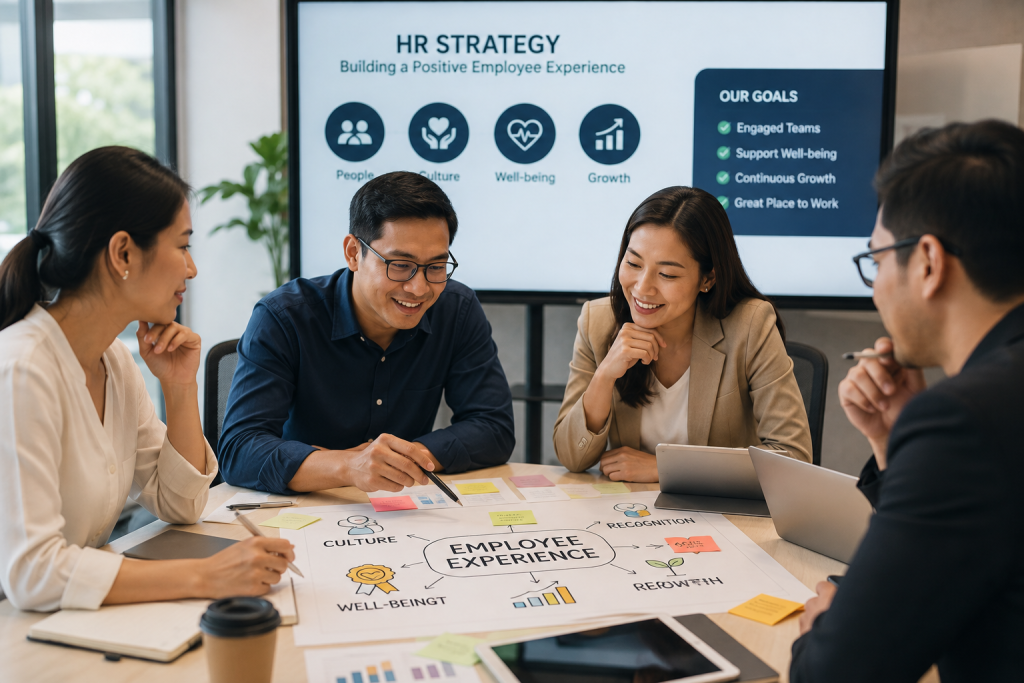
A positive employee experience is the impression people build through daily contact with their work, managers, coworkers, systems, and organization. It starts with the first recruiting conversation and keeps changing through onboarding, performance, growth, major transitions, and departure. Strong touchpoints make good work easier. Broken ones quietly drain time and trust.
For HR leaders, the work starts with the conditions employees face every day. The eight strategies below show how to create a positive employee experience by finding hidden friction, choosing what to change first, and checking whether a fix is helping.
Key Points to Remember
- Employee experience grows from everyday moments, including manager conversations, workflow handoffs, system access, workload, and opportunities to develop.
- Consistency matters. Clear expectations and useful support must remain dependable across managers and locations.
- Feedback only builds trust when leaders act on it and explain what changed.
- Pair employee input with operational measures so a rising score doesn’t hide a slow, frustrating process.
What Is a Positive Employee Experience?
A positive employee experience is a steady pattern of fair, useful, and supportive interactions at work. People know what is expected, their tools help them move, and managers give dependable guidance. That operating view guides employee experience consulting.
Easy days aren’t the standard. A healthy experience gives employees enough clarity, access, and support to make progress when the work gets difficult.
Employee experience is broader than engagement. Engagement describes how connected and committed someone feels at a given time. Experience includes the conditions shaping those feelings, such as workplace culture, manager behavior, physical space, digital systems, workload, growth opportunities, and working relationships. Our employee engagement statistics provide more context on engagement. The operating environment reveals why those numbers move.
Follow one employee through a normal week. A clean handoff, accurate payroll, and a useful one-on-one build confidence. Duplicate data entry or unclear approvals do the opposite. These are practical positive employee experience examples.
What Does a Great Employee Experience Look Like in Practice?
A great employee experience looks like reliable access, clear ownership, useful manager support, and visible follow-through at the moments that shape daily work.
EvolveUp treats that experience as cross-functional operating work. HR, IT, operations, and business leaders examine the same touchpoints, from onboarding and feedback to systems and career growth. The aim is to find where the employee promise breaks in practice, assign the fix, and track whether the change improves retention, productivity, or confidence.
Why Positive Employee Experience Improves Retention and Performance
People have more reason to stay when work feels manageable, expectations are clear, and relationships are trustworthy. They have more attention for valuable work when the systems around them remove needless delays. Those conditions strengthen employee performance and day-to-day results.
As evidence for employee retention strategies, SHRM research found that workers with a positive employee experience were 68% less likely to consider leaving. The same research reported a sharp gap between employees in positive and negative work cultures. Avoidable turnover interrupts client work, pulls managers into replacement hiring, and takes hard-won knowledge out the door. Fair, predictable scheduling is part of the employee experience, so unresolved employee scheduling conflicts can quickly affect trust and retention.
The operational cost can surface long before someone resigns. A new consultant who has system access on day one contributes sooner. An experienced employee stuck correcting payroll data or chasing approvals has less time for clients. For professional services firms, experience affects time to productivity, capacity, quality, and billable-hour utilization.
That makes employee experience part of workforce optimization. Treating it as a separate HR campaign leaves the actual sources of friction untouched.
When Do Employee Experience Problems Need Outside Help?
Outside help becomes useful when employee experience problems cross several teams, keep returning after local fixes, or depend on systems no single owner controls.
Common signs include survey comments that conflict with operating data, handoffs that stall between HR and IT, and technology that employees work around instead of using. EvolveUp’s employee experience consulting starts with the underlying processes and systems, then turns the findings into an ordered road map and hands-on implementation plan. A practical employee experience strategy connects those cross-functional fixes to clear owners and measures.
8 Strategies for a Positive Employee Experience
These eight employee experience strategies work together. You can launch them in stages.
Life-cycle mapping shows where the trouble sits. Listening explains what employees are experiencing. Managers, onboarding, technology, growth, work design, and change practices give leaders places to intervene.
Pick the moments with the greatest employee and business impact. Name an owner, set a baseline, and start there.
1. Map the Employee Life Cycle and Find the Friction
Employee life-cycle mapping follows the stages people move through, from attraction and hiring to onboarding, performance, development, and departure. View each stage from the employee’s side of the process. A workflow can look tidy in a policy document. The real version may contain missing information, repeated forms, and approvals that sit untouched for days.
Use interviews, survey comments, HR tickets, workflow observations, and exit themes to find the rough spots. Look for moments where employees lose time or confidence. Choose two touchpoints with a clear connection to productivity, retention, quality, or risk, and give each one an owner.
Watch HR ticket volume, cycle time, rework, and employee confidence at the affected stage. If new hires wait three days for system access, for example, the delay is specific enough to fix and measure. Life-cycle mapping turns a hazy complaint into an operating problem.
2. Listen to Employees and Close the Feedback Loop
An employee experience survey captures only part of the picture. Mix confidential surveys with interviews, focus groups, manager check-ins, and an always-available feedback channel. Scores reveal a pattern. Conversations often reveal the cause.
Segment the findings by role, location, tenure, work arrangement, and employee persona without exposing individuals. A payroll failure lands differently for an hourly worker than it does for a salaried consultant. That difference matters when you choose the fix.
Then close the loop. Tell employees what you heard, what will change, who owns the work, and when you’ll review progress. Track recurring themes, action completion, and confidence that feedback leads to action. Fewer surveys with visible follow-through beat a constant stream of questions that go nowhere.
3. Equip Managers to Create Consistent Day-to-Day Experiences
Effective employee experience management depends on managers, who shape role clarity, feedback, recognition, workload, fairness, and career conversations. Leaving those moments entirely to personal management style creates a workplace lottery. Two people in the same job may get wildly different support.
Give managers a handful of useful routines. Set a clear cadence for one-on-ones and workload reviews. Provide short guides for recognition, coaching, and difficult conversations, then let managers adapt the language to the person in front of them.
Review manager-related pulse results beside retention, performance, internal mobility, and absence patterns. Bring managers together to work through real scenarios and align on expectations. Employees will still have different relationships with their managers, of course. Policy, performance standards, and access to recognition should remain dependable across teams.
4. Make Onboarding Clear, Connected, and Useful
A strong employee onboarding experience starts before day one. Access, equipment, payroll details, role expectations, and early introductions should be ready before a new hire needs them. A missing login sounds small until someone spends their first week chasing it instead of learning the job.
Build one onboarding plan with named owners across HR, IT, payroll, the hiring manager, and the employee’s buddy. Tie manager check-ins to real work at the 30-, 60-, and 90-day marks. Each conversation should answer what the person can do now, where they’re stuck, and what comes next.
Track access issues, new-hire confidence, early exits, and time to productivity. Tailor the plan by role. A consultant, payroll specialist, and first-time manager need different relationships and early wins, even when they share the same administrative checklist.
5. Remove Friction From HR Systems and Everyday Workflows
The digital employee experience suffers when disconnected HRIS, payroll, ATS, performance, and communication tools create avoidable work. Employees enter the same details twice, hunt for a form, wait on email chains, and correct data that should have moved automatically. Over time, the company starts to look unreliable.
Map high-volume workflows by persona before changing a platform. Recruiters, employees, HR specialists, and salespeople may touch the same system in completely different ways. Our HR technology consulting starts with those real workflows so technology choices reflect how people actually work.
Choose one common task and watch it from start to finish. Count every screen, approval, copied field, and handoff. Ask employees where they leave the official process to send a message, update a side file, or find missing information. Those detours are often the real requirements for a better system.
AI-powered tools can cut administrative drag and return capacity to higher-value work. The goal is to level up employees and give them room to use judgment. Track completion time, handoffs, errors, adoption, and employee effort. If people keep a parallel spreadsheet, the system is only technically live. That is a clear sign the workflow still needs work.
6. Build Growth and Recognition Into the Work
Improving employee experience through growth starts when employees can see possible next steps and get chances to build the skills required for them. Publish clear job architecture and progression expectations. Connect learning to future business needs, and use stretch assignments so development happens inside real work.
Recognition works best close to the contribution. A generic quarterly award never replaces a manager noticing thoughtful client work or a process improvement when it happens. Review who receives development opportunities and recognition across roles, locations, work arrangements, and manager groups.
Internal mobility, skill completion, stretch-work participation, and fairness feedback can show whether opportunity is broadly available. A useful growth plan answers what capability comes next, how the employee can build it, and what evidence will show readiness for more responsibility.
7. Support Well-Being Through Work Design, Not Perks Alone
Many well-being problems begin with work design. Chronic overload, clashing priorities, limited autonomy, poor staffing, and weak psychological safety persist after a wellness-app rollout. Organizational design consulting reviews the same decision rights, staffing, and role clarity. Start with the conditions creating the strain.
Repeated after-hours payroll work may point to a broken approval process, for instance. Employee input tells you how the strain feels. Scheduling, overtime, workload, and absence patterns help show where it is concentrated.
The NIOSH Worker Well-Being Questionnaire provides a multidimensional framework spanning work experience, workplace culture, physical environment and safety climate, health status, and life outside work. Protect anonymity if you use it. The purpose is to identify conditions leaders can change and see whether targeted fixes reduce strain, not to diagnose employees.
8. Reinforce the Experience During Change
Technology implementations, mergers, reorganizations, and rapid growth put employee experience under pressure. Roles shift. Familiar processes disappear, and people may lose trusted sources of information. Waiting until launch to manage that disruption gives employees plenty of time to form their own story. A workforce transformation plan should account for that human disruption from the start.
Begin with impact assessments and leadership alignment. Brief managers before broad announcements, since employees will bring questions to them first. Shape communication, training, and feedback channels around each affected group instead of sending the same material to everyone.
Our change management consulting connects adoption to the operating result. Measure confidence, system use, time to proficiency, process compliance, and unresolved issues after launch. Keep support open after go-live, when real work exposes gaps that testing missed. Fast feedback during the first few weeks can stop a clumsy workaround from becoming the permanent process.
How to Measure Employee Experience Without Chasing a Single Score
A survey score is one signal. Pair employee feedback with operational indicators such as retention, regrettable turnover, time to productivity, internal mobility, HR ticket volume, system adoption, quality, and workflow cycle time. The right mix depends on the touchpoint under review.
Set a baseline before changing the process. Segment results responsibly, review patterns at least quarterly, and assign an owner to every action. Then compare what employees say with what the operating data shows.
If people describe onboarding as confusing and access tickets stay high, the measures reinforce each other. If sentiment rises but time to productivity remains flat, dig into the gap. The survey may be missing a bottleneck employees have accepted as normal. Review workforce productivity metrics alongside sentiment before deciding a change worked.
Measure the improvement cycle too. Listen, find the friction, make one targeted change, and check the result. That habit keeps teams from gathering feedback they never use or celebrating a score even as a broken workflow keeps grinding away.
Turn Employee Experience Into an Operating Discipline
You can make meaningful progress within 90 days.
- Map the employee life cycle, collect operating data, and listen during days 1 to 30.
- Choose the top friction points, name owners, and set baselines during days 31 to 60.
- Pilot fixes and review employee and operational signals during days 61 to 90.
Creating a positive employee experience requires consistent ways of working and shared ownership across HR, operations, IT, and business leadership. Keep the scope practical. Fix the moments that cost people the most time, confidence, or momentum, then build from what you learn.
Give the 90-day effort a named leader and a small cross-functional group. Their job is to clear ownership disputes, protect time for the fixes, and report what changed. Without that basic governance, even a sensible improvement can stall between HR, IT, and operations.
If employees keep losing time to disconnected systems, unclear handoffs, or stalled change, a broader fix is needed. EvolveUp assesses the processes, technology, and adoption gaps behind that friction, then stays through implementation so the road map does not stop at recommendations. Schedule a consultation with EvolveUp to identify the first changes worth making.