AI in HR refers to machine learning, natural language processing, generative AI, and AI agents applied to human resources work like recruiting, onboarding, employee support, workforce analytics, and operations. Used well, it clears repetitive work off HR’s plate so the team can focus on strategy, retention, and the people decisions only humans can make.
This guide walks through what AI in HR does today, where it’s already in production, the benefits that hold up under scrutiny, the pitfalls that quietly derail projects, and how to tell if your HR function is ready for it. We work with companies on AI-enabled workforce transformation every week. Most of what gets called “AI in HR” online glosses over the messy parts. We won’t.
What AI in HR Means
AI in HR is the use of artificial intelligence technologies inside human resources workflows. The four categories that matter most are machine learning (models that find patterns in workforce data), natural language processing (technology that reads and writes human language), generative AI in HR (tools that draft text, summarize documents, and answer questions), and AI agents (software that can take a sequence of actions on a workflow, not just respond to a single prompt).
These AI use cases in HR show up in real work in concrete ways. Machine learning powers predictive turnover models that flag employees likely to leave. NLP runs the chatbots employees use to ask about PTO. Generative AI drafts job descriptions, summarizes performance reviews, and writes the first version of an internal policy memo. AI agents schedule interviews, screen candidates, and update HRIS records across multiple systems.
This is the part where definitions get muddy. A lot of “AI in HR” software is rule-based automation with a marketing layer. If a tool follows a rigid if-this-then-that script, it’s automation, not AI. AI tools learn from data, adapt to new inputs, and produce non-deterministic output. The distinction matters when you’re evaluating vendors. Rule-based automation is useful, but it doesn’t carry the same risk, the same upside, or the same data requirements as real AI.
Here’s the position we take with every client. AI levels up employees rather than replacing them. The HR teams getting real value from AI are the ones using it to subtract grunt work, not the ones expecting it to subtract headcount. That distinction shapes everything about how we approach implementation, and it shapes the rest of this article.
Where AI Is Showing Up in HR Today
This section is a function-by-function tour of where AI is running in HR departments right now. Not pilot projects. Not “the future.” Production deployments at companies between 100 and 10,000 employees.
Adoption is uneven. According to SHRM’s 2025 Talent Trends report, 43% of HR professionals report using AI in their work, with recruiting and talent acquisition leading at 51% adoption and learning and development trailing far behind. The pattern is consistent. AI lands first in functions with high repetitive volume and clear inputs and outputs, and lands last in functions that depend on judgment, context, and clean longitudinal data. Areas like employee engagement, where current employee engagement statistics show a multi-year decline, remain harder for AI to influence directly.
These AI in HR examples cluster by user persona. Recruiters need different tools than benefits administrators. HR business partners need different tools than payroll specialists. The functions below each correspond to a distinct persona, which sets up the implementation methodology we’ll cover later.
Recruiting and Talent Acquisition
AI in HR recruitment is where the technology shows up most aggressively. Resume parsing extracts structured data from unstructured PDFs. Candidate matching ranks applicants against role requirements. Career site bots answer applicant questions and capture interest after hours. Automated sourcing tools surface passive candidates from public profiles. Interview scheduling agents handle the back-and-forth with multiple panelists across time zones.
The same SHRM research found AI tools in HR save recruiters up to 89% of the time spent on certain tasks like writing job descriptions and screening initial applications. That’s not a marginal gain. That’s the difference between a recruiter running five reqs and one running twenty.
The limitations are real. Poorly configured AI introduces bias at scale. A screening tool trained on past hires will replicate whatever criteria those past hires reflected, including the criteria nobody intended. Resume parsing doesn’t replace recruiter judgment, and matching scores are only as good as the role requirements they’re evaluating against. Treat AI in recruiting as a force multiplier on a well-defined process, not a replacement for the process.
One pattern that works in practice is persona-configured AI agents for recruiters. The agent matches candidates to roles, applies on behalf of qualified candidates through career site bots, and runs personality-fit assessments that predict role success. Each piece is tuned to how recruiters work day-to-day, not a generic chatbot bolted onto the ATS.
Onboarding and Employee Experience
Onboarding and employee experience is the most-deployed and lowest-risk AI category in HR right now. HR chatbots handle routine questions about PTO, benefits, payroll, and policy. Benefits bots walk employees through open enrollment without a human intermediary. Automated onboarding workflows trigger paperwork, system access, and equipment provisioning the moment an offer is accepted. Employee Q&A tools surface answers from policy documents and HR knowledge bases in seconds.
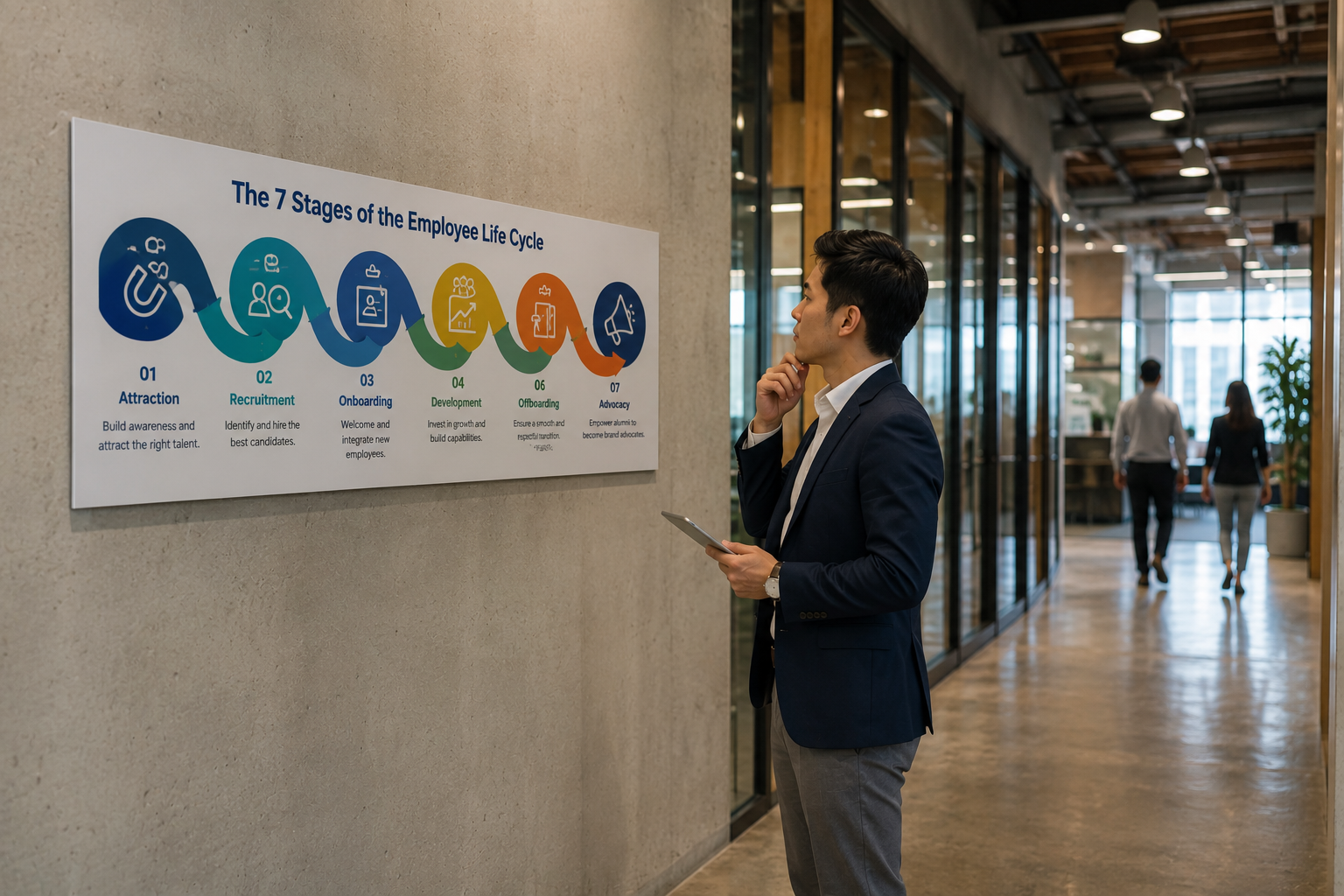
Most of these tools replace tier-one HR generalist questions, which frees HR staff for the work that needs them. Policy design. Employee relations. Manager coaching. Retention strategy. That shift is where the value lives. Onboarding and retention are two stages of the employee life cycle, and automation tends to pay off fastest at the seams between them.
We’ve seen this play out at scale. In a recent post-merger AI deployment, we reclaimed roughly 25% of employee time across the combined HR function. That figure came from removing repetitive work, not from layoffs. The existing team could suddenly absorb a much bigger employee population without breaking.
HR Operations and Administrative Work
HR operations is full of repetitive, structured work that AI handles well. Document automation generates contracts, offer letters, and policy acknowledgments. Generative AI drafts internal communications, summarizes long policy documents, and turns a four-paragraph performance review into a clean two-paragraph summary. Email drafting tools help HR staff respond faster to common requests. Automated workflows replace manual handoff chains between recruiting, IT, payroll, and benefits.
The rule we use with clients is simple. Automate drudge work first. Automation works cleanest where the work is repetitive, structured, and low-judgment. Pulling data from one system, formatting it, and pushing it to another system is exactly that kind of work. Drafting a sensitive termination letter is not.
There’s a realistic ceiling here. AI accelerates HR operations without redesigning them. The strategy decisions, the people decisions, the judgment calls about culture and fairness, those still belong with humans. The team that pretends otherwise tends to ship something nobody trusts.
Learning, Development, and Performance
Learning and development is where AI is most promising and least mature. Personalized learning paths use ML to recommend training based on role, skills, and career goals. Skill gap analysis maps current capabilities against future requirements. Generative AI summarizes performance reviews and drafts development plans. Adaptive training content adjusts difficulty based on learner performance.
The gap is huge. SHRM’s research also found that 67% of organizations have not proactively upskilled employees on AI itself. That’s both a barrier and an opportunity. Companies that build internal AI fluency now will move faster on every other AI initiative. Companies that don’t will keep paying outside firms to do work their own teams could do with training.
The data problem is what holds L&D AI back. These tools depend on clean information about employees’ current skills, the skills each role requires, and the gaps between the two. Most companies don’t have that data clean, or even centralized. That’s why L&D AI lags recruiting and onboarding. The use case is just as strong on paper. The data isn’t ready.
Workforce Analytics and Planning
Workforce analytics is where AI starts to influence real business outcomes. Predictive turnover models identify employees at higher risk of leaving so managers can intervene early. Headcount forecasting projects future hiring needs based on revenue plans and historical patterns. Internal mobility models suggest moves that would retain high performers. Pay equity analysis surfaces compensation disparities before they become problems.
The data foundation point is non-negotiable here. Workforce analytics depends on clean HRIS data. Getting to that clean foundation often starts a step earlier, with choosing an HRIS that fits how your teams actually work rather than the tier a vendor pushes. Fragmented systems are why most analytics projects stall before producing anything useful. If your payroll, performance, recruiting, and benefits data live in five different platforms that don’t talk to each other, no analytics tool will save you.
We worked with a global professional services client of about 2,000 employees and $130 million in revenue who had exactly that problem. APAC, EMEA, and U.S. processes had grown independently for years. Consolidating them and cleaning the underlying data surfaced $11 million in previously unrealized revenue. That number came from finally being able to see the workforce as one workforce. No fancy algorithm involved. The lesson holds across every analytics project we’ve run. Analytics depends on infrastructure, not just tools. Without the foundation, AI surfaces noise, not insight.
The Real Benefits of AI in HR
The macro benefit is reclaimed capacity. Across the post-merger AI implementations we run, the consistent outcome is roughly 25% of employee time given back to higher-value work. That’s the headline. Everything else is downstream of it.
The benefits cluster into four categories worth naming individually.
- Time reclamation through automation. Repetitive tier-one work gets handled by chatbots, document automation, and AI agents, freeing HR staff for strategy and employee-facing work.
- Better decisions through data. Workforce analytics replaces gut-feel headcount and retention decisions with evidence-based forecasting and intervention.
- Improved employee experience through faster answers. Employees get policy and benefits answers in seconds instead of waiting days for a ticket response.
- Recruiting efficiency through screening and matching. AI handles the volume work in sourcing and screening so recruiters focus on the conversations that decide hires.
Here’s a concrete recruiting proof point. We ran a 14-month hiring transformation with a client and compressed their productivity timeline by 50%. That came from rebuilding sourcing, screening, and scheduling around AI tools that fit how their recruiters worked, not from buying a fancier ATS.
What we won’t do is dress up vague claims as benefits. “Transformative impact” isn’t a benefit. “We cut average response time on tier-one HR questions from days to minutes” is. Every benefit on this list ties to a specific use case already covered in this article. If you can’t tie a benefit to a concrete use case, it’s marketing copy.
Why Persona-Based AI Implementation Outperforms One-Size-Fits-All
This is where most AI in HR projects quietly go wrong. The company buys one chatbot, one generative tool, or one platform, and expects it to serve everyone. The recruiter, the benefits admin, the HR business partner, the salesperson asking about commission plans, the new hire trying to find the parental leave policy. One tool, one configuration, one experience for all of them.
The result is a tool that doesn’t fully serve anyone. The recruiter doesn’t trust the matching logic because it wasn’t built for their pipeline. Benefits admins can’t get the bot to answer the questions their employees ask. New hires abandon the chatbot after two unhelpful responses. The whole project becomes a line item nobody defends in next year’s budget.
The fix is persona-based design. AI agents in HR should be configured for the specific user, because each persona has different workflows, different pain points, and different questions.
A recruiter using AI needs candidate sourcing, matching, and screening. An employee using AI needs benefits answers, policy lookup, and PTO requests. An HR generalist using AI needs document automation, case management, and reporting. A salesperson using AI needs commission calculations and quota questions. The underlying technology may be the same. The configuration, training data, and interface are completely different.
This is the methodology we use across every AI technology transformation we run. The principle applies regardless of who does the work. Define the personas first. Design the workflows second. Choose the technology third. Companies that flip that order end up with software that nobody uses.
The Pitfalls That Derail AI in HR Implementations
Five failure patterns show up repeatedly in AI integration in HR. We can name them because we’ve been brought in to fix all five.
- Deploying AI without mapping the manual work. If you don’t know what your team does today and how long it takes, you can’t measure whether AI made it better. Start with the work, not the tool.
- Treating AI as a product feature instead of a workflow change. Buying the technology is the easy part. Redesigning how the team works around it is where projects succeed or fail.
- Ignoring change management. AI changes who does what, which threatens roles, comp structures, and team dynamics. Skip the change work and the tool gets quietly abandoned.
- Missing the data foundation. AI applied to fragmented, dirty data produces fragmented, dirty output. The HRIS work has to come first or run in parallel.
- Outsourcing strategy to a vendor whose incentives don’t match yours. A platform vendor’s job is to sell licenses. That’s not the same job as designing the right implementation for your business.
Here’s the honest reality of our business. Roughly 75 to 80% of our engagements are reactive cleanup work. Companies call us after the first implementation failed, after the AI rollout stalled, after the HRIS migration broke payroll for a quarter. Failed projects are why workforce consulting firms exist. We’re not proud of the pattern. We just want you to know the pattern is real, so you can avoid being part of it.
This section is honest buyer guidance, not a sales setup. The five pitfalls apply to every AI in HR project, regardless of who runs it. If you’re going to run the implementation yourself, name these risks upfront in your project plan. If you’re going to hire help, vet the help against these same risks. Either way, the work is the work.
How to Tell If Your HR Function Is Ready for AI
Whether you’re piloting or scaling AI in HR management, readiness is not a feeling. It’s a checklist with four items.
- Clean HRIS data. Employee records, role mappings, comp data, and historical activity should be accurate, centralized, and consistent across systems. If your HRIS data is fragmented or dirty, fix that first. AI applied to bad data scales bad outcomes.
- Defined personas and workflows. You should be able to draw the day-to-day work of each HR persona on a whiteboard and identify where AI could subtract repetition without subtracting judgment. If the workflows are undocumented, document them before you shop for tools.
- Executive sponsorship. AI in HR projects cross functional lines and surface uncomfortable change. Without a senior sponsor willing to back the work when it gets hard, the project stalls in committee.
- A business case tied to real metrics. Tie the project to EBITDA impact, billable-hour utilization, recruiting cost per hire, or productivity per employee. “Become more AI-driven” is not a business case.
Companies that skip the readiness check are the ones that show up in the failure statistics. AI deployed onto fragmented data and unclear workflows fails in predictable ways. The readiness work is the discovery and evaluation phase, not the implementation phase. It should happen before any technology selection. If you’ve already chosen a platform and you’re now backfilling these answers, that’s the order of operations problem. The whole point of the readiness check is to inform the technology decision, not to justify it after the fact.
For teams that want a template for the underlying foundation work, our HRIS implementation guide walks through the discovery, selection, and configuration phases we use with clients.
The Future of AI in HR
Three near-term shifts in the future of AI in HR are worth watching.
First, AI agents will handle more end-to-end workflows. Today’s AI agents do one task well. Tomorrow’s will chain tasks across systems, taking a recruiter request, posting the job, screening applicants, scheduling interviews, drafting offer letters, and updating the HRIS without a human in the middle on routine cases. The agent handles the long tail of admin so the recruiter can spend their time on the high-stakes work.
Second, generative AI is moving from drafting tools to decision-support tools. Today, generative AI writes a first draft and a human edits it. Soon, generative AI will surface decision options with the supporting context attached. Here are the three candidates worth interviewing. Here’s why. Here’s the policy that applies. Here’s the comp benchmark. The human still decides. The decision just comes with better preparation.
Third, workforce planning matures as HRIS data quality improves. Companies finishing their HRIS consolidation work right now are building the data foundation that makes serious workforce analytics possible. The organizations that finish that work first will pull ahead on hiring, retention, and capacity planning.
The technology is genuinely transforming how HR works, but the transformation is gradual, uneven, and dependent on infrastructure most companies are still building. Tracking the latest HR transformation trends helps leaders benchmark their progress against where the market is heading. The organizations with strong HRIS foundations and clean data will get most of the benefit. Companies still wrestling with fragmented systems will keep falling behind, regardless of which AI tools they buy.
Where to Start with AI in HR
If you’re figuring out how to use AI in HR, map the work first before you select any tools.
Map the manual work your HR team does today. Measure how much time it takes. Identify what AI could realistically take off your team’s plate, what it shouldn’t touch, and where the data foundation needs work before any tool will help. Then evaluate technology against that picture, not against vendor demos.
When the stakes are high, a recent acquisition that doubled the employee count, a failed prior implementation, or PE pressure to show ROI on workforce investment, that’s when bringing in help pays off. We come in during the chaos and make it work, whether the work is HRIS implementation, persona-based AI deployment, or post-merger workforce integration.
If you want to talk through where AI fits in your specific HR stack, schedule a consultation with EvolveUp or explore our workforce optimization page. AI in HR Continues to Expand.” SHRM, 2025, https://www.shrm.org/topics-tools/research/2025-talent-trends/ai-in-hr.
U.S. Bureau of Labor Statistics. “Incorporating AI Impacts in BLS Employment Projections: Occupational Case Studies.” Monthly Labor Review, 2025, https://www.bls.gov/opub/mlr/2025/article/incorporating-ai-impacts-in-bls-employment-projections.htm.